The SETTINGS screen gives you access to change the displayed units to either Metric or Imperial and the App theme to Dark, Blue, or Light themes.
Additionally, if your locator becomes 'Locked' it can be unlocked via the SETTINGS screen.
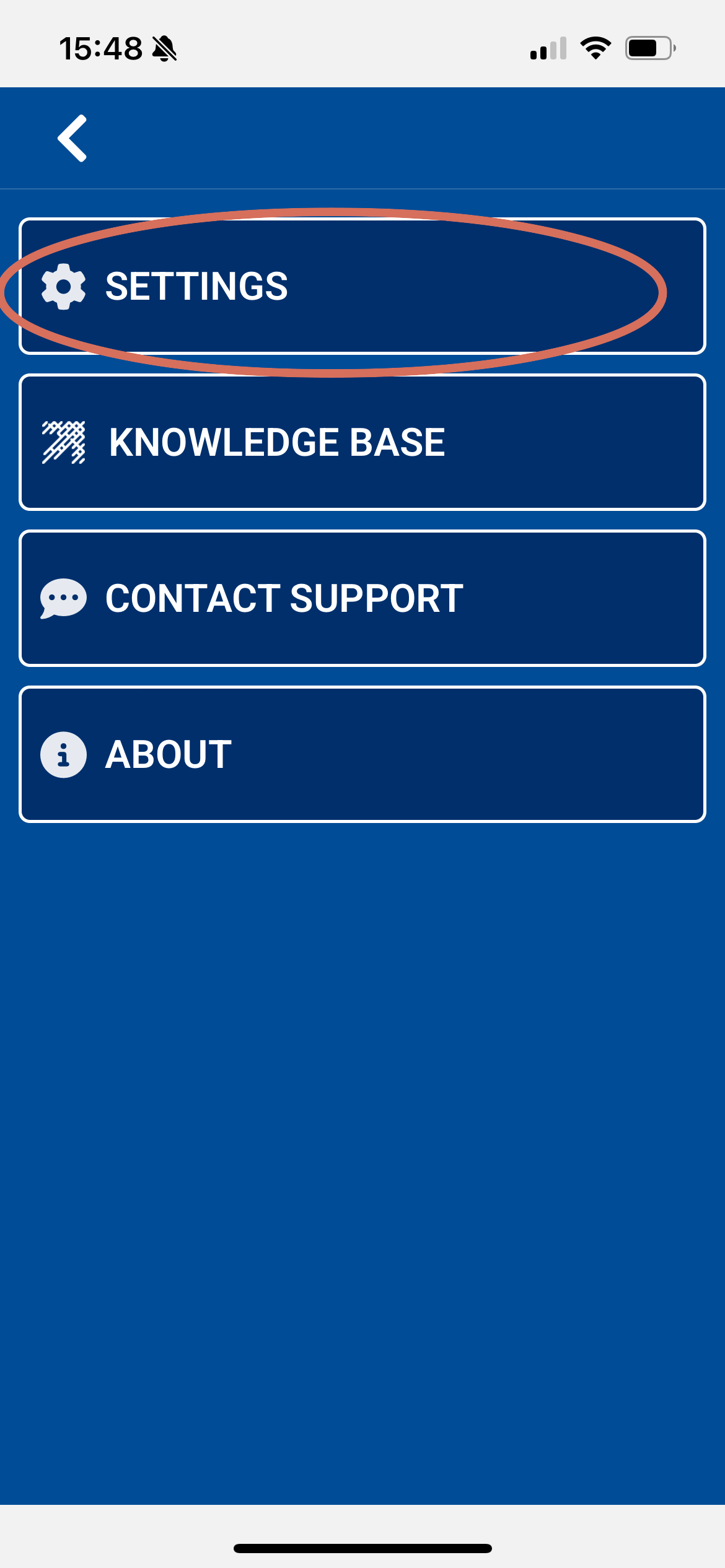
To view the SETTINGS screen select the 'Hamburger' menu top right of the Home screen.
![IMG_0023[1].PNG](/hc/article_attachments/30287746326941)
Followed by the SETTINGS option.
Displayed units
Select either IMPERIAL or METRIC for displayed units.
![IMG_0038[1].PNG](/hc/article_attachments/30367168138141)
App Themes
Choose between either DARK, BLUE or LIGHT app themes.
![IMG_0037[1].PNG](/hc/article_attachments/30288324925085) DARK mode DARK mode | ![IMG_0038[1].PNG](/hc/article_attachments/30288324921757) BLUE mode BLUE mode | ![IMG_0039[1].PNG](/hc/article_attachments/30288390011293) LIGHT mode LIGHT mode |
Unlock Locator
After 99 hours of the app not syncing with the locator, the locator will 'lock' and LOCKD will appear on the locator screen when powered on.
To unlock the locator open the UTTO MyRD LPM app and select the select the 'Hamburger' menu top right of the Home screen and select the SETTINGS option.
In the Settings screen tap on the UNLOCK LOCATOR button near the bottom of the settings screen.
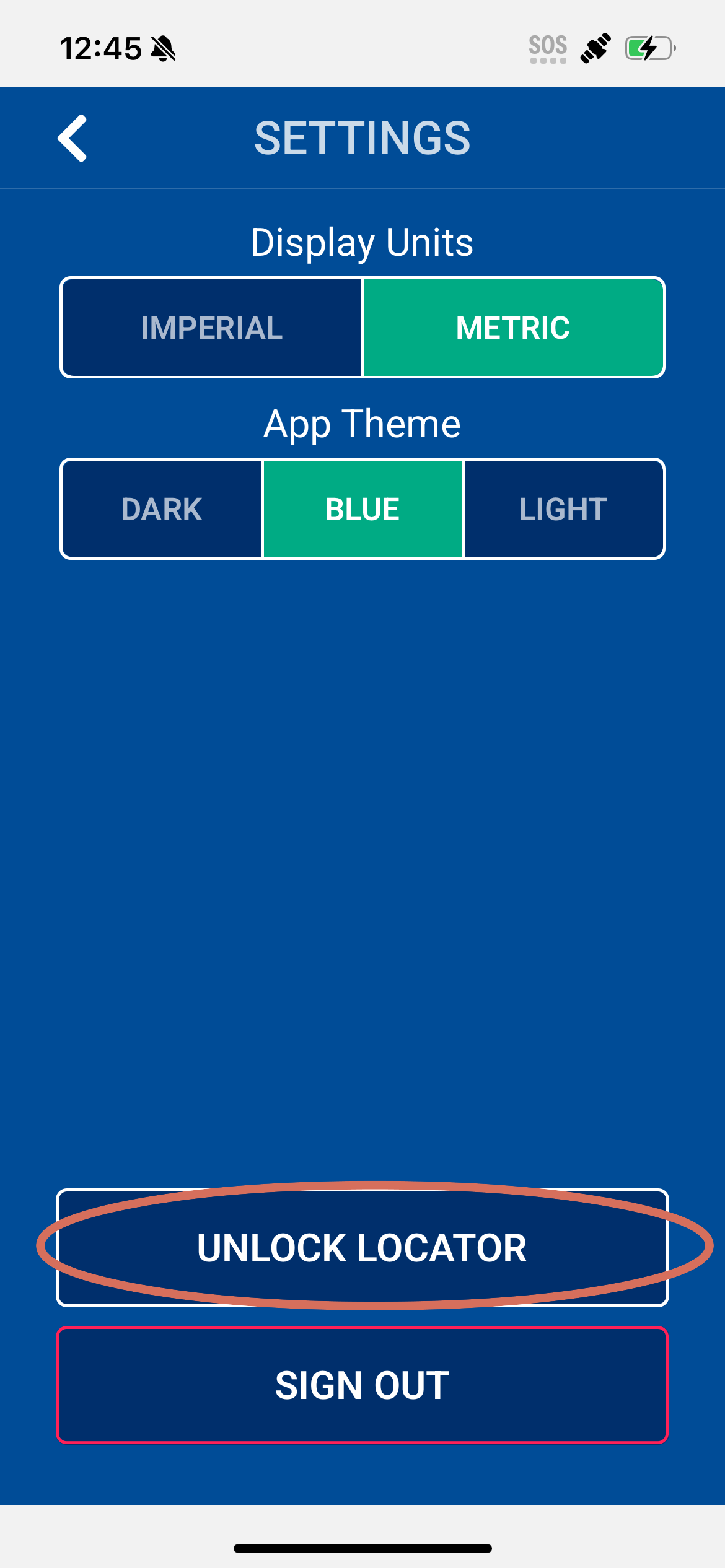
The app will then sync with the locator and unlock it.