Select Locate Scenario
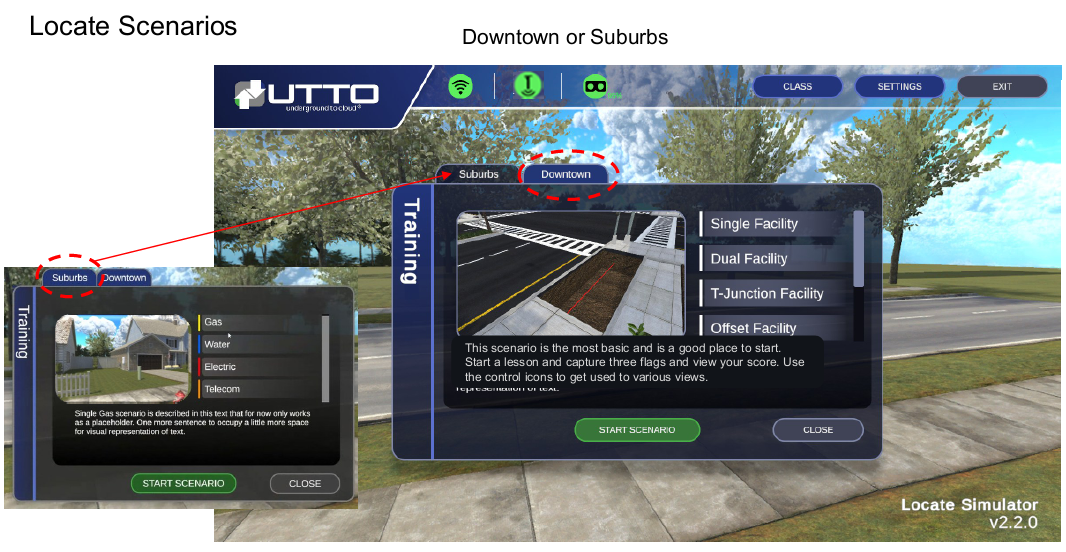
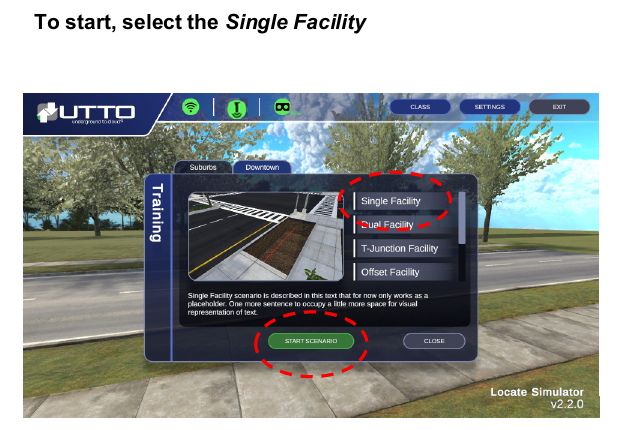 | This is recommended as it will let you learn basic operations and processes. Follow the Room Calibration set up steps and ensure your Locate device is powered on and in Peak mode & in 208Hz Freq). Ensure all the Status icons are green, click Start Scenario and you are ready to begin your first Locate Simulator experience. |
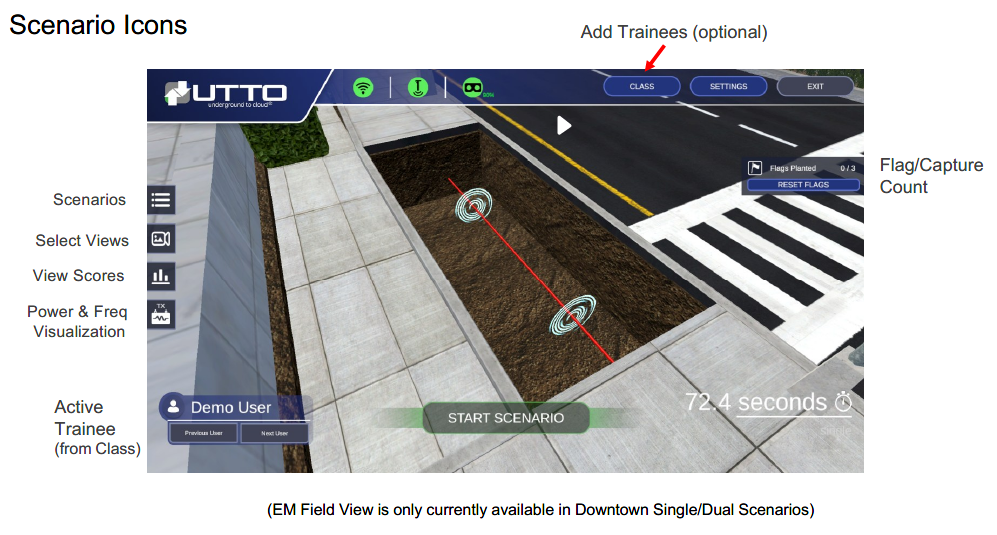
Activate/Power on Transmitter
Click on the power button to turn on the transmitter. There will be no active signal until the user powers on the transmitter. The transmitter will power on in 208Hz. Please note this will be the only frequency that works in the current version of the Locate Sim. If you do attempt to change Freq, youwill receive a pop up message stating that only 208Hz will work. | 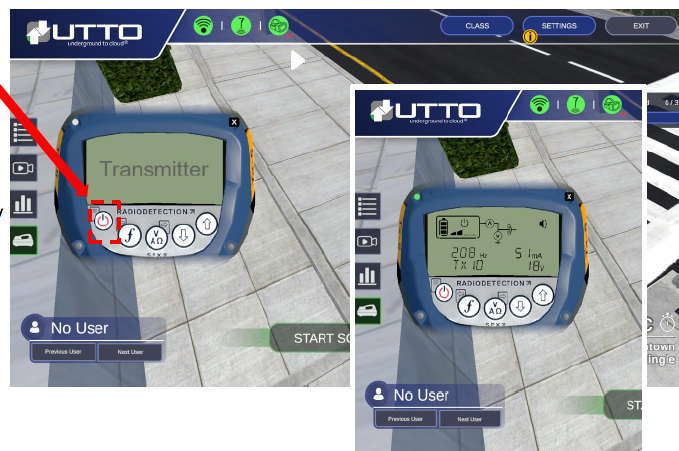 |