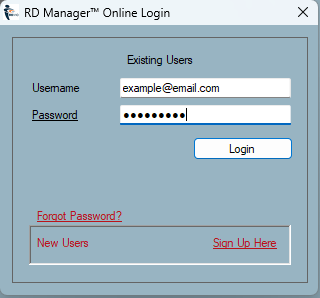
If you are trying to Sign In into your account and you have forgotten your password you can reset the password by clicking on Forgot Password link:
-
Select the Sign In
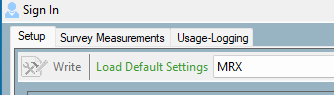
-
Enter your registered E-mail.
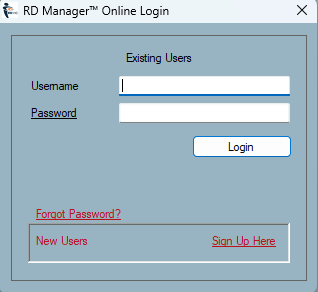
-
Click Forgot Password.
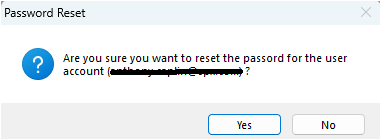
- Press Yes to confirm.
- Go to your e-mail inbox and open the Radiodetection’s New password e-mail
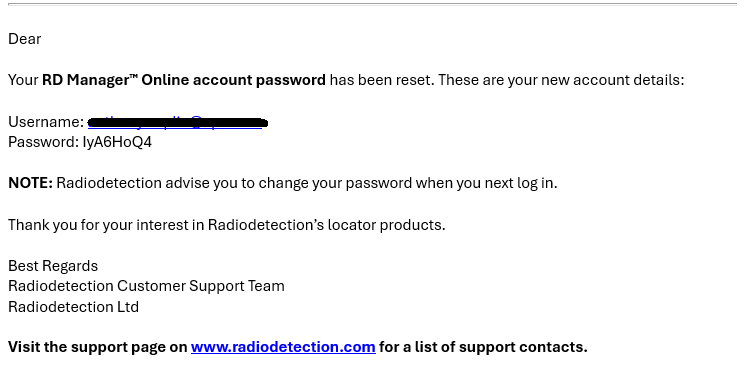
6. Copy and paste the new password in to the Sign In dialog box.
To change your password
- Upon successful sign in with your new password you may want to change it to something more memorable.
- Navigate, to the Account tab.
- Select Edit User Details.
- Clear the dots from the Password and Confirm Password data fields
- Enter and confirm your new password.
- Click Save.
Password rules: Letter and numbers only (no special characters such as $%£!@)
If you have not received the new password:
- Check your spam folder to make sure it didn't end up there.
- Try adding rd_desktop@notifications.spx.com to your address book.
-
Contact: support@radiodetection.com