Radiodetection products can be registered for the extended warranty on the Radiodetection Online portal.
Visit: portal.radiodetection.com
In order to register your products, a company account must be created first of all. This is a 2 step process.
- Register for a portal guest account. Verify your email.
- Sign in to your portal guest account and continue with the registration process to create a portal company account. Verify your mobile number.
The Radiodetection Online Portal enables authorised company users to register their company’s Radiodetection supported products.
Benefits of product registrations include:
Use the Product Overview tab to check your registered products, their calibration status (if applicable) and who used it last
Keep your product updated
Receive notifications about your product such as new features and software updates.
RD8200SG, RD8200 and RD7200 utility locators, MRX Series of RF Marker Locators, TX range of transmitters, and the PCMx locator all benefit from an additional 2 years warranty if registered within 90 days from purchase directly Radiodetection or from an approved distributor. (Excludes C.A.T4 and Genny4)
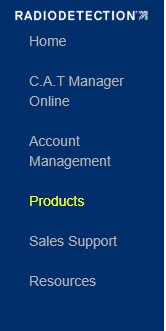
To access the Products menu select Products from the navigation pane.
Article's Content:
- Products Overview
- Register your product
- Supported Products
- Complete a product registration or add notes
-
Export your registered products
Products Overview
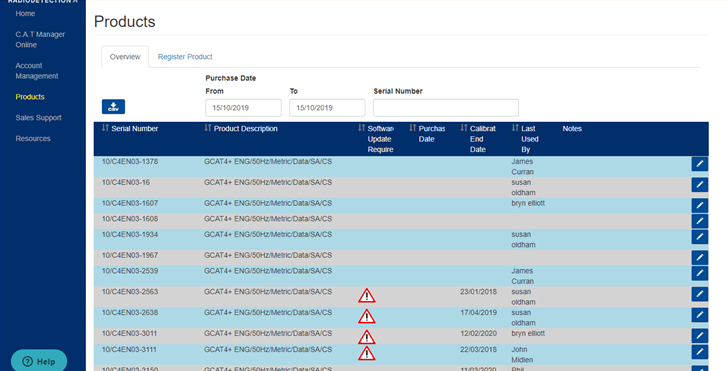
Use the Overview screen to review all your registered Radiodetection products. If the product has been paired and used with a compatible Radiodetection mobile app such as C.A.T Manager you will be able to see the Calibration expiry date, if applicable, and who last used it.
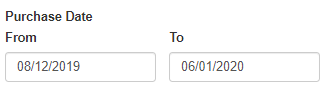
Purchase Date range.
Select either the From or To filter
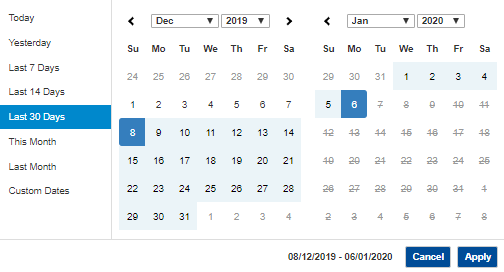
Select by: Today, Yesterday, Last 7 Days, Last 14 Days, Last 30 Days, This Month, Last Month, Custom Dates.
List of products by purchase date range.
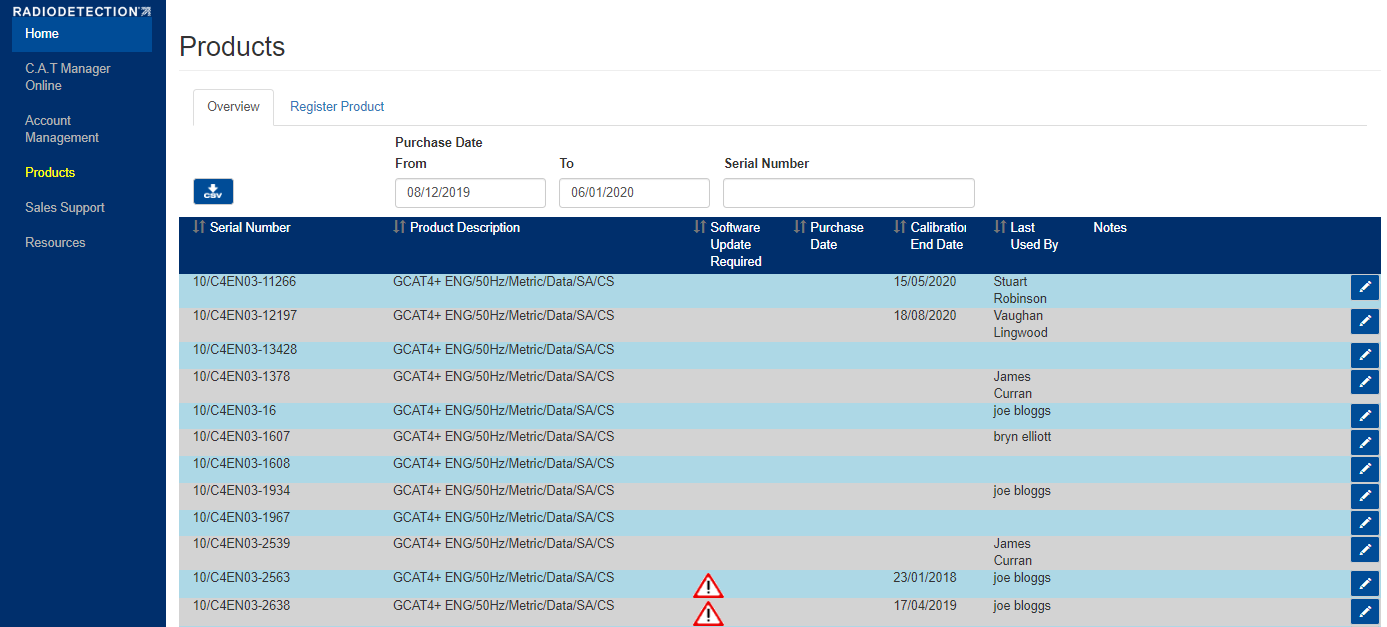
Warning Icons
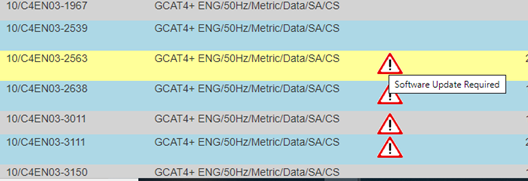
NOTE: On the Products overview page, The warning icon next to the listed product, indicate's that the product software needs to be updated.

Register your product

You can register your Radiodetection product by navigating to Products and selecting the Register Product tab.
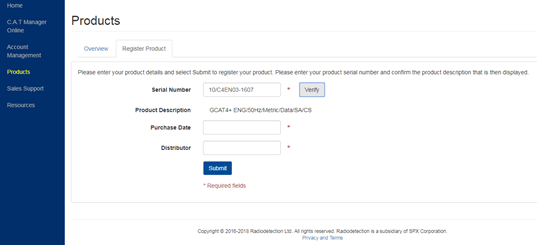
- Enter the Serial Number of your supported product
- If the serial number has been recognised the Product Description will appear, press verify.
- Enter the Purchase Date and the name of the Distributor
- Press Submit
NOTE: if the serial number has already been registered you will be given the possibility to contact the support team to look at this issue.
Supported Products
Currently supported product ranges are:
- C.A.T4 and Genny 4
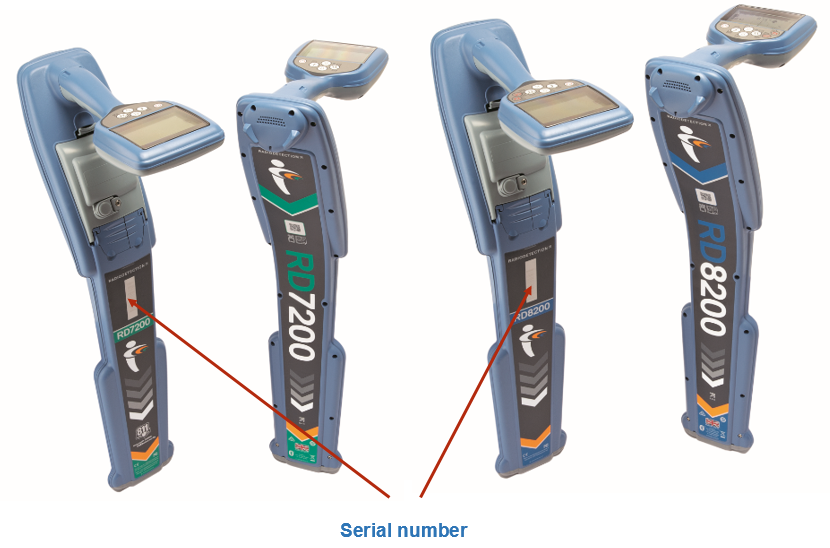
- RD8200SG Cable & Pipe locator
- RD7200 and RD8200 Cable & Pipe locators
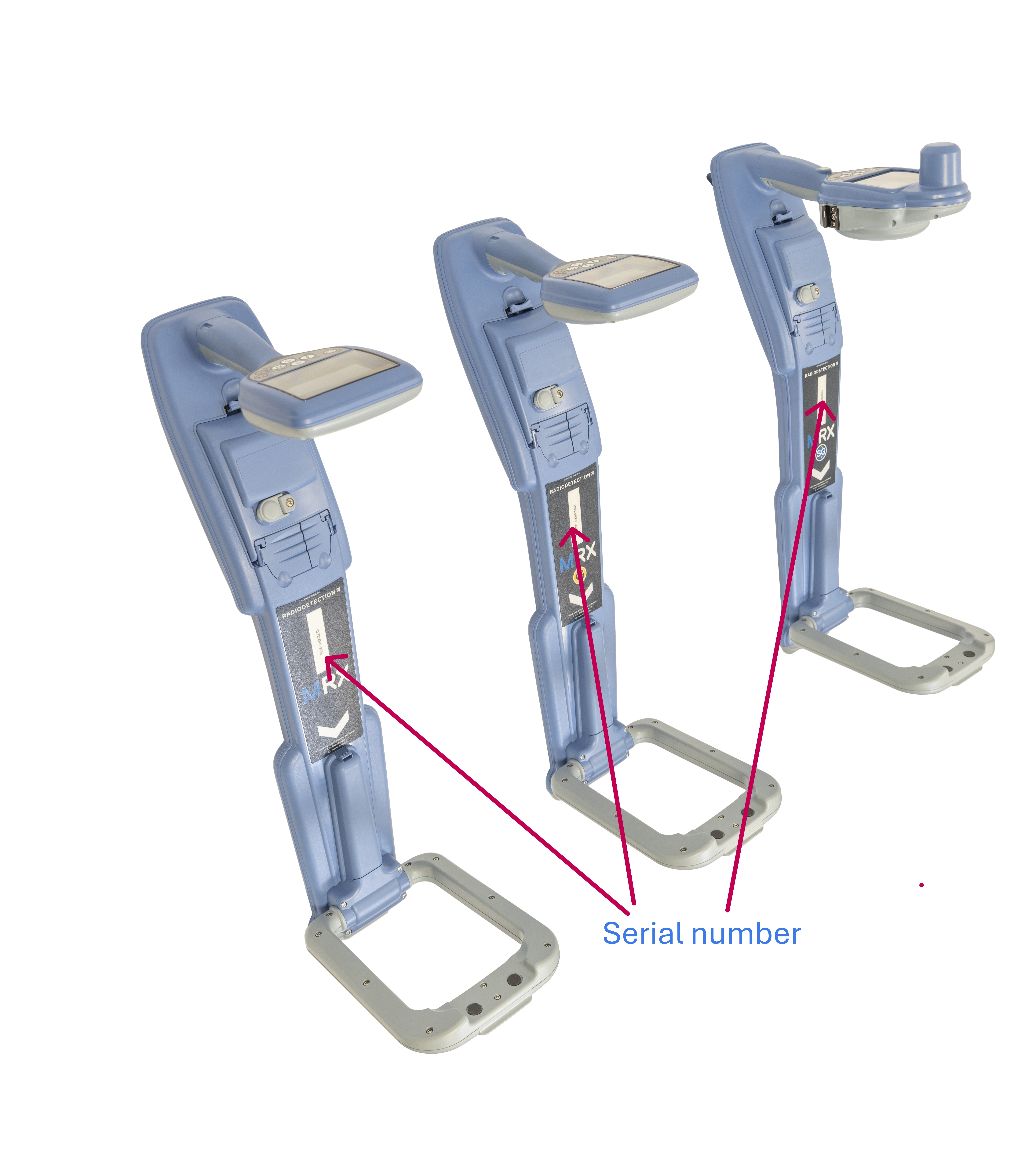
- MRX Series of RF Marker Locators
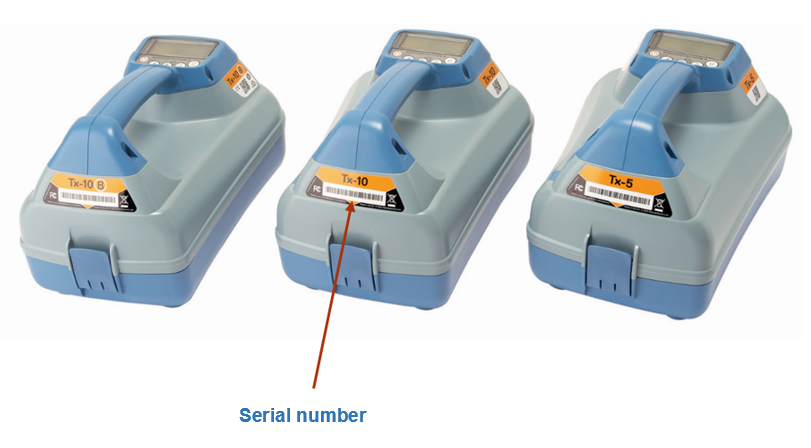
- TX
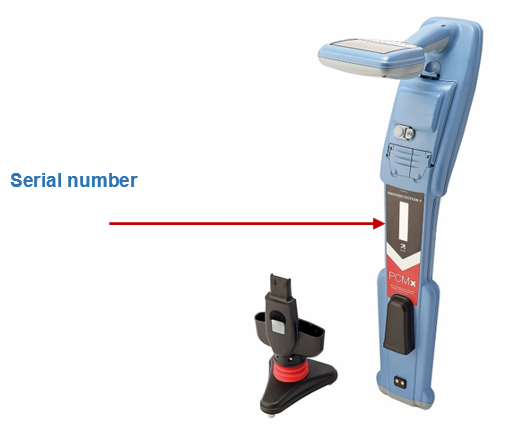
- PCMx
C.A.T4 and Genny 4
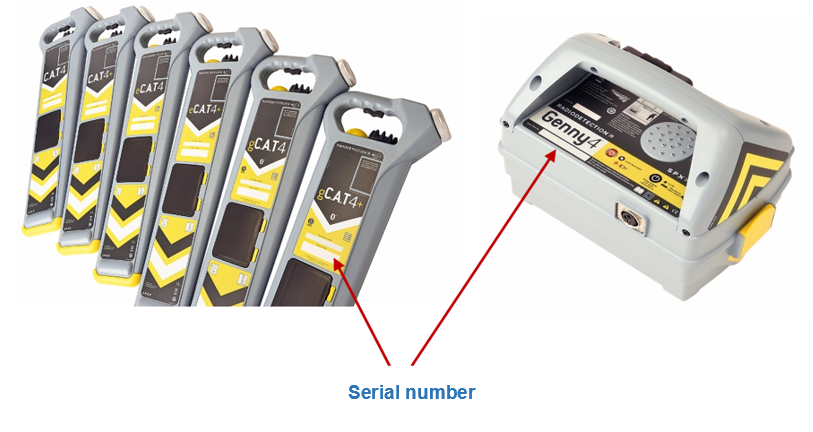
RD8200SG
RD7200 and RD8200(G)
MRX Series of RF Marker Locators
TX
PCMx
Complete a product registration or add notes
Product registered using a compatible app, such as C.A.T Manager mobile, may have the purchase date and distributor missing.
Products can be associated to notes, allowing you to annotate relevant information such as, for example, calibration history.
To complete a product registration or to annotate it select, the Overview Tab and:
1. Select the product
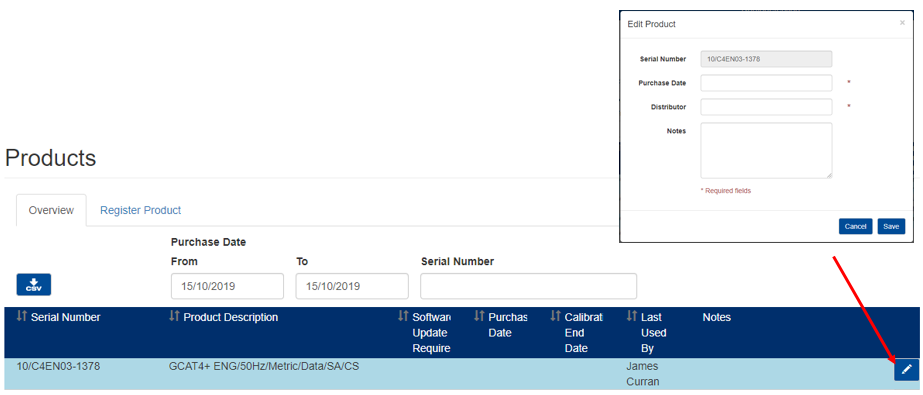
2. Press the Edit button
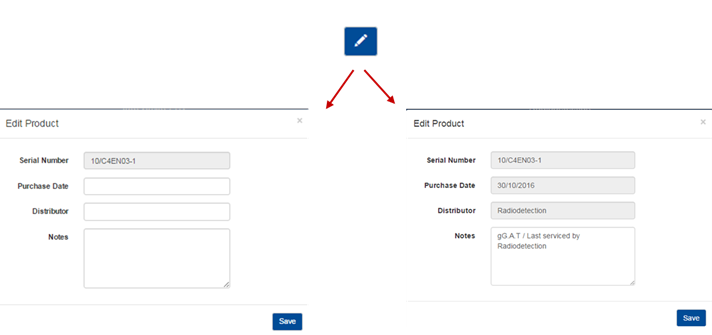
3. Enter Purchase Date and/or Distributor
4. Type your Notes
5. Press Save
Notes
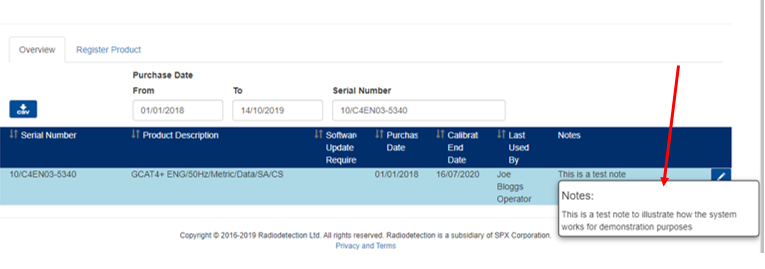
NOTE : Notes associated to your product may be truncated if too long. If this is the case just hover your mouse over the field to see the full note.
NOTE : If a product has been registered by using a compatible mobile app, such as C.A.T Manager mobile for example, Purchase date and distributor will be missing.
Export a list of company products
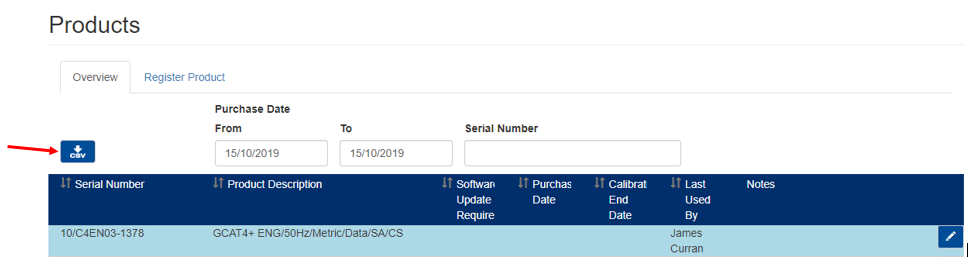
Press the Download CSV button to save a detailed list of all your company’s products as Comma Separated Value (CSV) file.

NOTE: The Calibration End Date and Last Used By fields are populated by a compatible mobile app such as C.A.T Manager app